Welcome to my post on "How Google Search Engine Works.
If you run a local service business—like a roofer, plumber, contractor, or mobile car detailer—you already know Google can be your #1 source of leads.
But most business owners don't actually understand how Google's search engine works, or what happens between typing a keyword and seeing search results.
But before any of what I am going to teach you happens—before Google can crawl or index your page—you need to actually create content worth discovering.
Google can’t crawl what doesn’t exist. For many small business websites, this is the biggest blind spot: they launch a site with a few generic pages and expect results.
If you need help with your website or creating content Google actually wants to index visit my guide Website Design
Once you publish a page or blog post, you can use Google Search Console to request indexing manually.
This step can be critical, especially for new websites or those without much domain authority. Don’t just wait for Google’s bots to eventually find your content—tell them it exists and that it’s ready to be ranked.
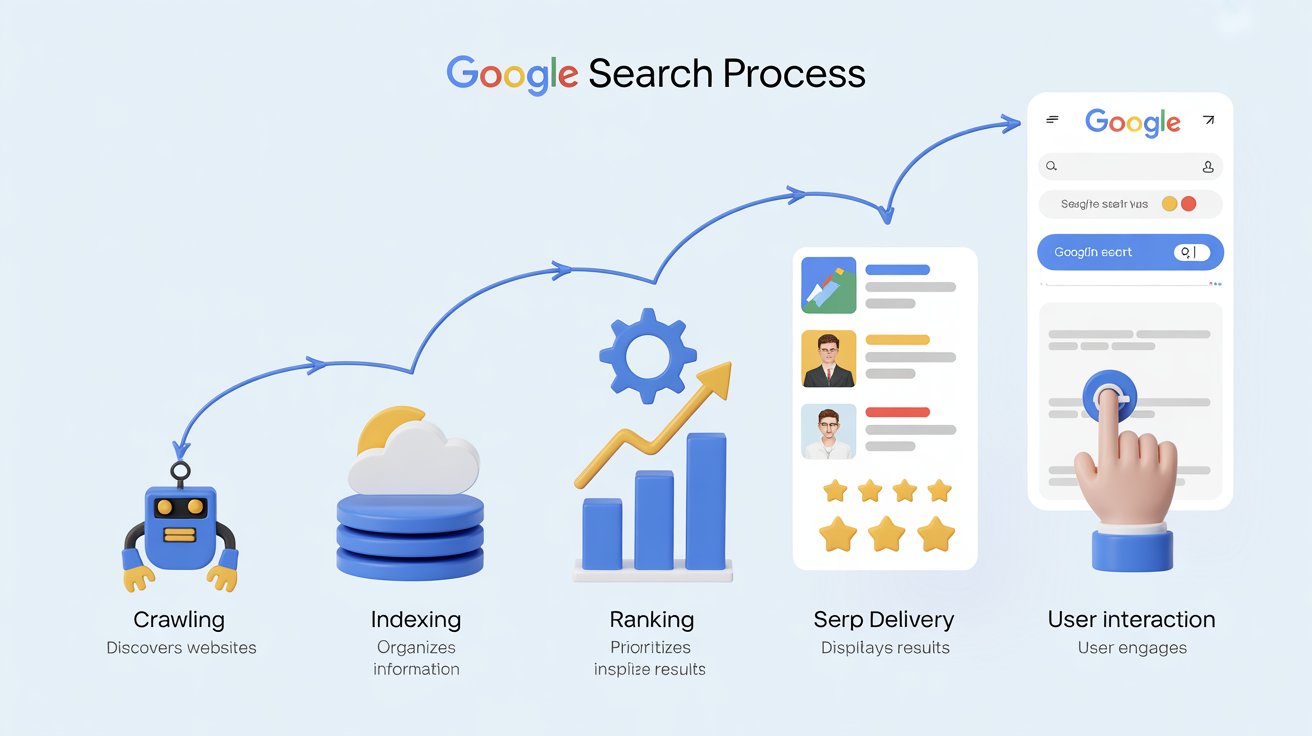
Here’s a beginner-friendly, step-by-step look at how Google works, and how understanding it can give your business a massive edge in local SEO and Google Maps rankings.
Step 1: Crawling
Google starts by using automated bots called Googlebots to crawl the internet. These bots follow links from page to page, gathering data about websites, images, PDFs, and more.
Why it matters for local SEO:
If your site has broken links or isn’t linked from other reputable sources, Google might not find all your pages. That’s why internal linking, sitemaps, and citations are critical.
To ensure effective crawling:

- Submit your sitemap through Google Search Console.
- Ensure pages are interlinked using relevant anchor text.
- Avoid orphan pages—every page should be reachable by at least one link.
- Use structured menus and footer links to ensure all core pages are accessible.
- Regularly audit crawl errors in Search Console.
- Use tools like Screaming Frog to find dead ends.
To learn more read the full guide here
Step 2: Indexing
Once a page is crawled, Google attempts to index it—meaning it stores the page in its massive database and tries to understand its content.
What indexing includes:
- Page content and keyword usage
- Page structure (headers, title tags)
- Images and alt text
- Schema markup and business details
- Mobile-friendliness and page load speed
- Site structure and content freshness
If your page isn’t indexed, it will never appear in search results.
How to improve indexing:
- Use clean, crawlable code and avoid unnecessary JavaScript.
- Add schema markup to highlight your business type and services.
- Ensure every page provides unique, high-quality content.
- Avoid duplicate content and thin content issues.
- Use canonical tags correctly to consolidate authority.
- Update stale content regularly to signal freshness.
- Create topic clusters and internal linking to improve contextual signals.
Step 3: Ranking
When someone types a search query, Google looks through its indexed content and uses over 200 ranking factors to decide what pages show up.
Key factors for local SEO:
- Relevance: Does your page content match the search intent?
- Proximity: Is your business close to the searcher?
- Prominence: Do you have reviews, links, and citations to prove trust?
For local businesses, this often means optimizing your Google Business Profile (GBP) and making sure your NAP (Name, Address, Phone) info is consistent across the web.
Tips for better ranking:
- Keep your GBP updated with services, hours, and new posts.
- Earn local links from blogs, news outlets, and directories.
- Generate real reviews and respond to them publicly.
- Embed maps and contact forms on your site.
- Optimize for mobile experience and Core Web Vitals.
- Use locally focused keywords in headings and copy.
- Target service + city keyword phrases on individual pages.
- Add structured data for reviews, locations, and services.
Step 4: Delivering Results (SERPs)
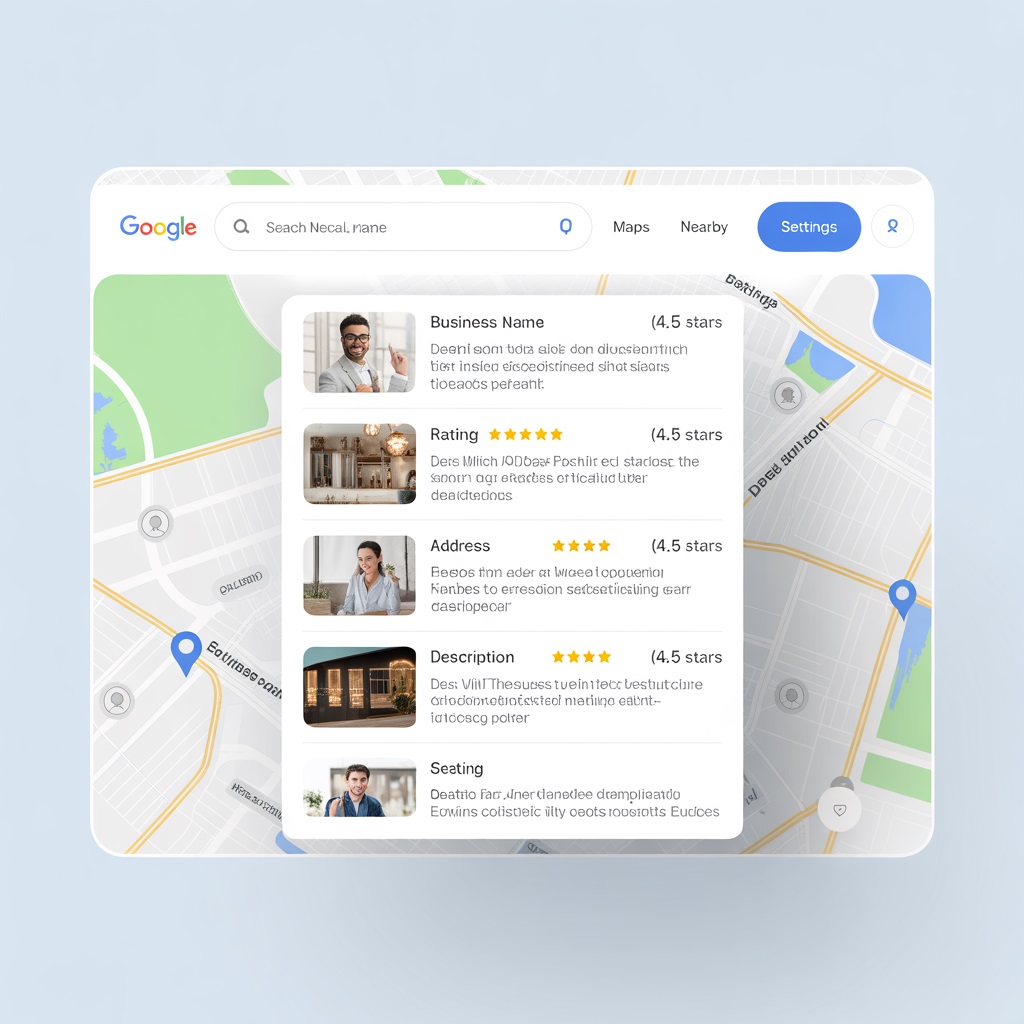
Google delivers search results in a format called the Search Engine Results Page or SERP. For local businesses, this includes:
- The Map Pack (top 3 Google Business Profiles)
- Organic search results
- Local service ads (if running)
Why this matters:
You’re not just trying to show up on Google—you’re trying to show up in the right section, especially the map pack.
Strategies to improve visibility:
- Select the correct GBP categories.
- Add geotagged photos of your work.
- Include target city names in your service pages and content.
- Answer FAQs using structured markup.
- Ensure your content clearly states your location and service area.
- Add local schema (LocalBusiness, Service, Review).
- Use “near me” and location keywords naturally.
- Create pages for each primary service area with unique content.
Step 5: User Interaction and Feedback
Google constantly learns from how users interact with search results. If lots of users click your listing and stay, that sends a strong signal your content is relevant.
Boost your performance by:
- Using compelling titles and meta descriptions
- Keeping users engaged with helpful content
- Encouraging reviews and answering FAQs
- Improving page speed and mobile layout
- Using video, infographics, and checklists
- Tracking user behavior with GA4 and adjusting content
- Creating sticky calls-to-action that match intent (e.g., “Book a Free Estimate”)
You Can Also
- Add videos or step-by-step tutorials.
- Use clear calls to action (like “Get a Free Estimate”).
- Monitor bounce rates and time on page with Google Analytics.
- Add trust signals like testimonials, badges, and guarantees.
- Make contact info easily visible and clickable on mobile.
Why This Process Matters for Local SEO
Most local business owners skip straight to "how do I rank?" without understanding how the search engine works in the first place. That leads to wasted effort, money on spammy backlinks, or half-baked website changes.
Google has to find (crawl) your content
Understand (index) your content
Decide to rank it based on trust and relevance
...you stop guessing and start doing what really works.
Local SEO tactics aligned with this process:
- Build out local pages with geo-specific keywords
- Optimize your GBP with services, categories, and photos
- Add schema markup for local businesses
- Ensure your NAP is consistent in directories like Yelp, Angi, and BBB
- Create content that answers real customer questions
- Use Google Search Console to track indexing issues
- Submit your page for indexing when updated
- Get featured in local roundups and sponsor community pages
Final Thoughts
Understanding how Google's search engine works gives you a strategic edge. You're not just chasing rankings; you're building a presence Google can find, trust, and promote.
If you align your SEO efforts with each phase of Google’s process—crawl, index, rank, deliver, and analyze—you’ll not only rank higher but also maintain long-term visibility.
Ready to put this knowledge into action?
Grab the High-Impact Google Business Profile Blueprint and learn the exact steps I use to help local businesses rank in the map pack and get more calls.