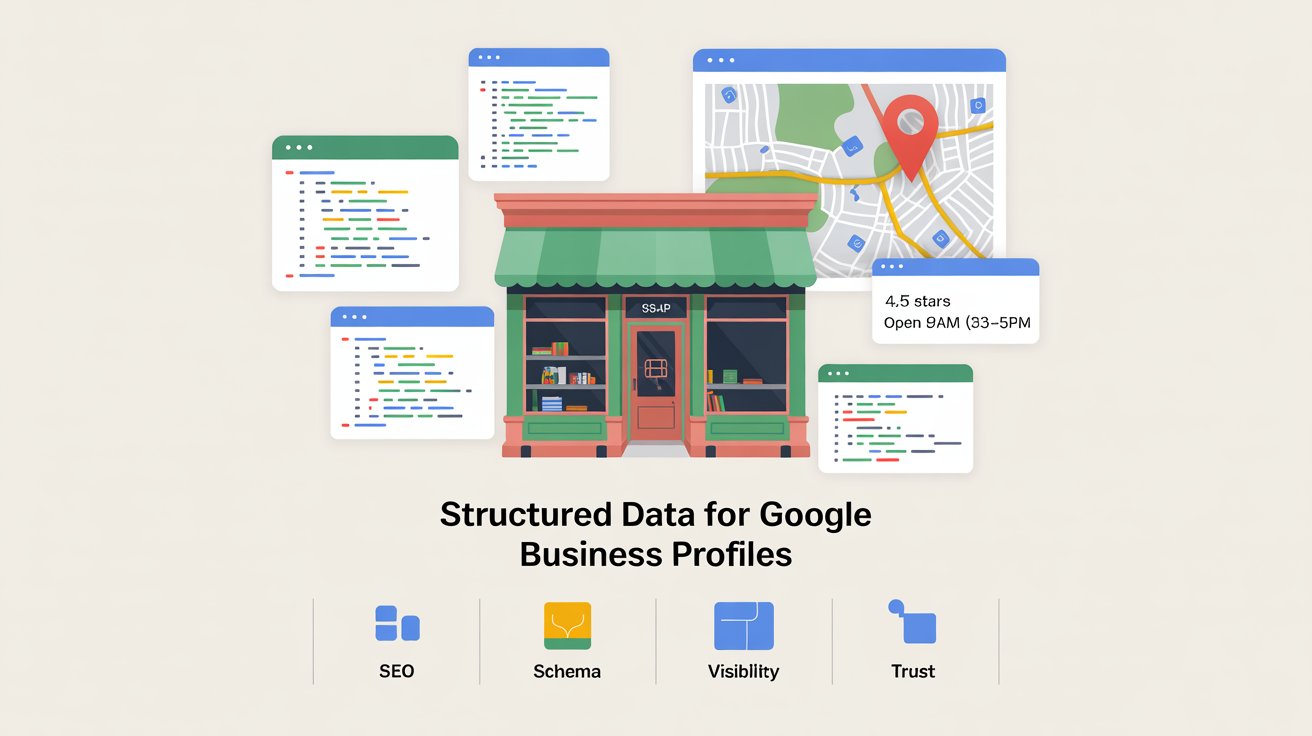
Welcome to my post on Google Business Profile Schema.
🔄 This post is part of our Local SEO Services Guide — your roadmap to getting found in 2025.
If you want to dominate Google Maps rankings in 2025, you need more than just keywords and citations. One of the most overlooked yet powerful tools in your local SEO toolbox is schema markup — especially when it comes to your Google Business Profile (GBP).
Schema helps search engines understand what your business is about and how to categorize it properly. When you implement structured data, you're literally spelling things out for Google, making it easier for them to rank and display your business correctly.
In this guide, you’ll learn:
- What Google Business Profile schema is
- Why it matters for local search visibility
- How to implement it properly
- Common mistakes to avoid
- How schema supports trust and credibility
- How to use it alongside other local SEO techniques
Let's get started.

What Is Google Business Profile Schema?
Google Business Profile schema is a specific type of structured data (usually written in JSON-LD) added to your website's HTML. It tells search engines:
- Your business name
- Business type/category
- Phone number
- Address (including geo-coordinates)
- Hours of operation
- URL of your Google Business Profile
- Links to social media accounts
- Accepted payment methods
- Price range
This info helps Google validate your business details, improves your chances of showing rich results, and reinforces trust signals that already exist in your GBP, citations, and on-page content.
In essence, it acts like a business card for search engines — instantly conveying who you are, where you are, and how people can reach you.
Why Schema Matters for Local SEO
Enhanced Understanding
When search engines crawl your website, they use schema to understand your business location and service area
Data Consistency
Confirm consistency between your website and your GBP
Improved Visibility
Enhance visibility in featured snippets and map packs
Voice Search Support
Support voice search queries ("near me" searches)
Rich Results
Show additional information in search (ratings, address, etc.)
If you don’t have it, you’re forcing Google to guess — and guessing doesn’t win rankings.
Structured data also improves click-through rates. Listings with rich snippets often stand out in the SERPs thanks to added visuals or data like star ratings and contact details. That extra visibility can result in higher trust and more site visits.
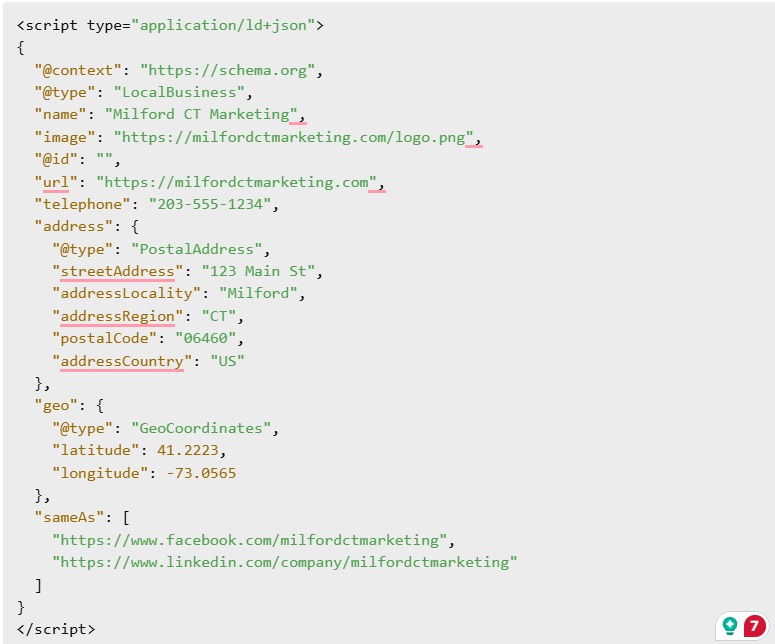
Example of LocalBusiness Schema (JSON-LD Format)
How to Add Schema to Your Site
1. Use a Schema Generator
You can use free tools like:
These let you fill in your business details and automatically generate valid JSON-LD code.
2. Add to Site Header or Footer
Most WordPress sites allow you to add code snippets with a plugin like Header & Footer Scripts, or inject them into your theme template.< If you're using Elementor, Divi, or Oxygen, there are usually settings to include JSON in the page settings.
3. Validate It
Once added, run your page through Google’s:
These will catch errors and confirm your schema is working.
4. Update Regularly
If your business name, phone number, or address changes, make sure to update your schema immediately. A mismatch between structured data and GBP details can undermine your local SEO efforts.
5. Add Schema to Multiple Pages
Besides your homepage, add local business schema to:
- Location landing pages
- Service-specific pages>
- Contact page
Doing so reinforces your relevance for both geo and intent-specific queries. Google will start associating your business with broader categories and related local searches.

If your schema is incorrect, Google may ignore it completely. Worse, it may consider the information misleading and penalize your visibility in local results.
Common Schema Mistakes to Avoid
❌ Using the wrong @type (e.g., "Organization" instead of "LocalBusiness")
❌ Leaving off required fields (address, phone, etc.)
❌ Using outdated formats like Microdata
❌ Mismatched data between schema and your GBP
❌ Forgetting to update schema when business info changes
❌ Overloading schema with incorrect or excessive custom attributes
Advanced Schema Tips
Identity Management
Use the @id tag to help Google understand the canonical identity of your business
Enhanced Snippets
Add aggregate Rating, review, and price-Range where applicable to enhance your snippet
Multiple Schema Types
nclude multiple schema types where appropriate: e.g., LocalBusiness + Service + Review
Location Strategy
Embed schema on your homepage and location/service pages if you have multiple locations
Automation
Use dynamic schema generation plugins if you have a large site or multiple listings
Schema doesn't directly influence rankings, but it indirectly improves your performance by boosting context, trust, and visibility — all of which lead to more clicks and leads.

Google Business Profile schema is one of those rare SEO tools that’s relatively easy to implement, but offers huge upside. It improves search visibility, reinforces trust, and keeps your site competitive in a local landscape that rewards technical precision.
If you want to dominate your service area in local results, implementing structured data is no longer optional. It’s a necessity.
Even if you're not a developer, schema generators and visual editors make it possible to do it right without code headaches. If you're feeling unsure, this is one of those areas where it pays to consult a local SEO specialist.